← Journey solutions
Care coordination
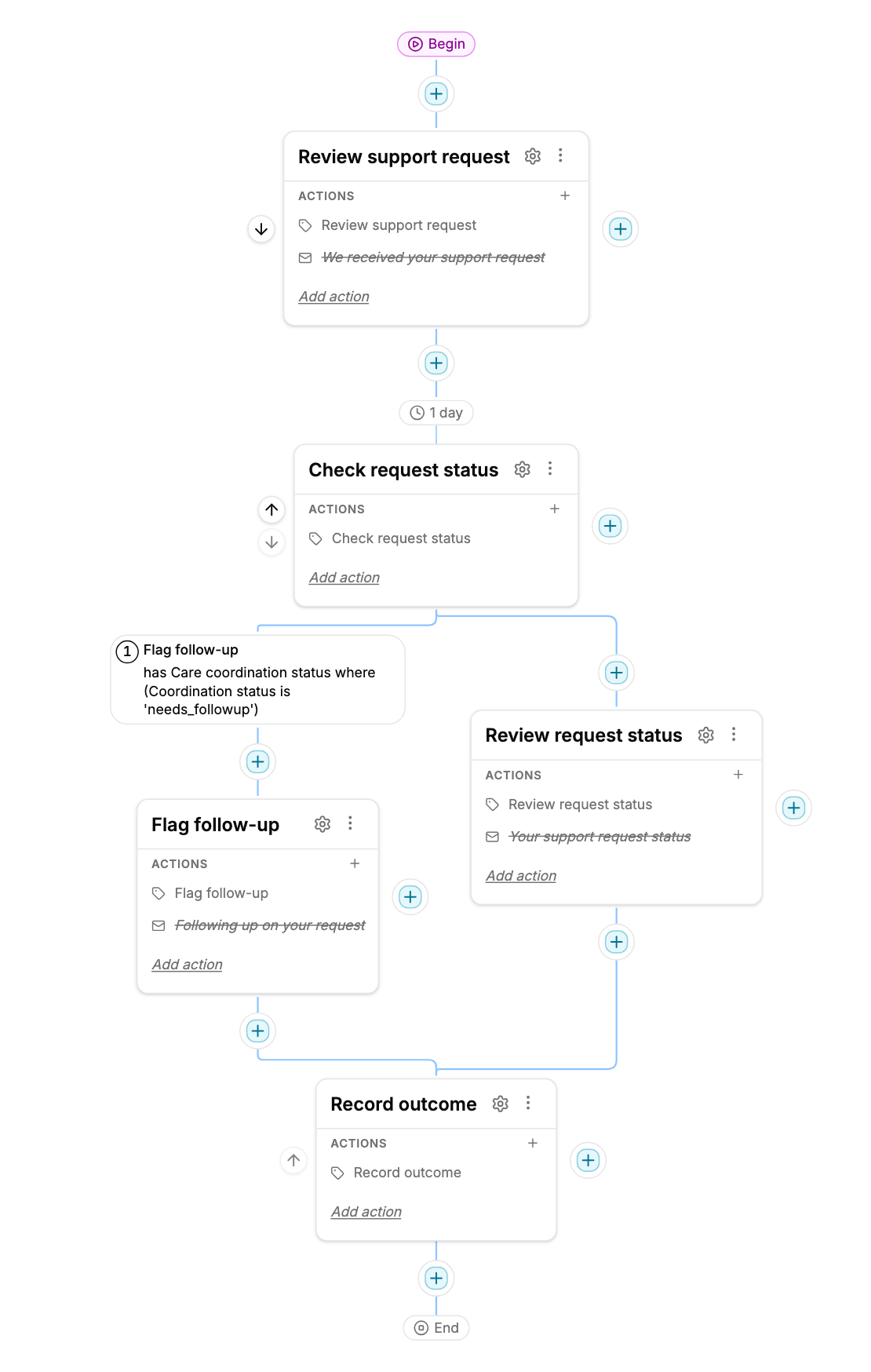
Flag open support requests for follow-up and review other request statuses.
A draft you can adapt. Installation does not enroll members or send messages. Workspace and usage charges still apply.
The included Journey
See the next step. Change the condition.
This template uses a condition saved directly on the branch. Open the condition, choose the Form field and value, and save. There is no separate named Member Filter to create.
Coordination status needs follow-up sends the member to Flag follow-up. Everyone else follows Review request status, including members with no matching Form entry.
Included in the free bundle
Own the starting point.
- One Journey V2 with five steps and two branch paths
- The Care coordination status Form
- Three editable email actions, initially inactive
- A 1-day wait before evaluating the branch
- Internal labels that flag records for team review
- A separate ending controlled by the program’s Stop label
- An inline branch condition you can edit in place
Before you publish
Make it fit your program.
- Choose a workspace and an authorized Inbox, then install the draft.
- Choose who maintains Coordination status, then test matching, nonmatching, and missing Form entries.
- Review the supplied messages and business hours; enable email actions after testing.
- Review staff ownership, consent, and ending conditions. Publish only after testing.
Labels do not assign staff tasks or notify your team. Set up team review or add an internal notification. Your care team supplies the care plan, approved content, and escalation process.