Notification Preferences
Control how members receive notifications — enable or disable SMS, email, and voice channels per member.
Notification Preferences
Every member has notification preferences that control which channels they can be reached on — SMS, email, and voice. Notifications can be triggered by escalations, routines, and actions, but the system always checks member preferences before sending. If a channel is disabled for a member, notifications on that channel are skipped.
How It Works
Notification delivery requires two things to be true:
- The notification rule enables the channel — For example, a rule configured to send via email
- The member's preferences allow the channel — The member has email turned on
If either one is off, the notification doesn't go out on that channel. This means workspace owners can set up broad notification rules, and individual members retain control over how they're contacted.
| Rule enables channel | Member allows channel | Notification sent? |
|---|---|---|
| Yes | Yes | Yes |
| Yes | No | No |
| No | Yes | No |
| No | No | No |
Changing Notification Preferences for a Member
From the UI
- Go to People → Members
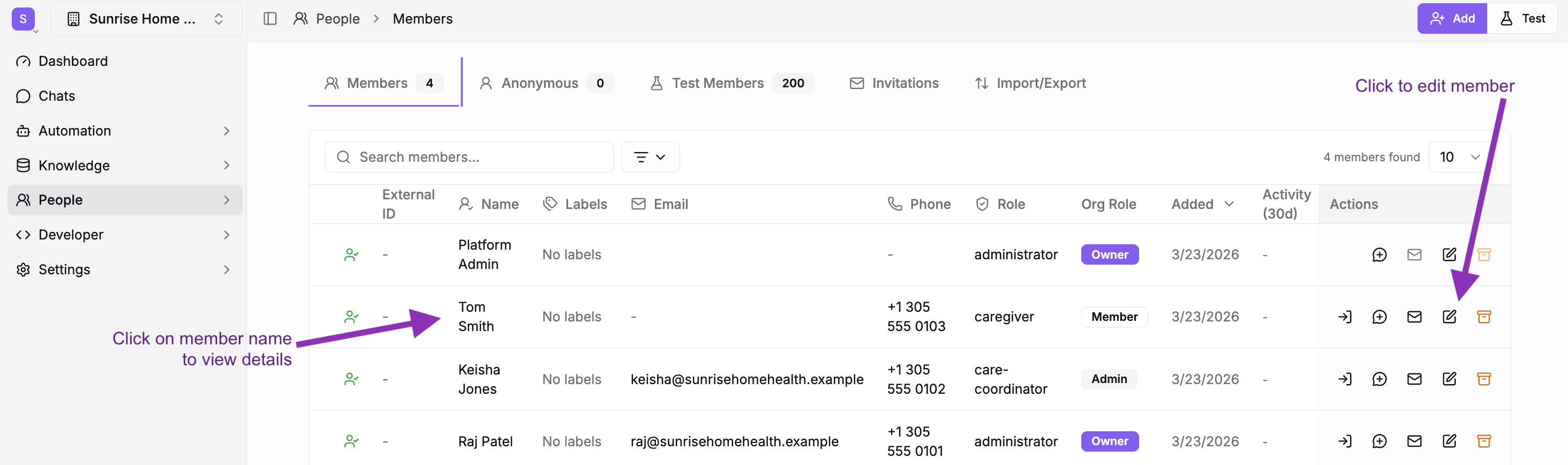
- Open the member edit form:
- Click Edit from the Members list, or
- Click the member name to open their details page, then click Edit in the upper right corner
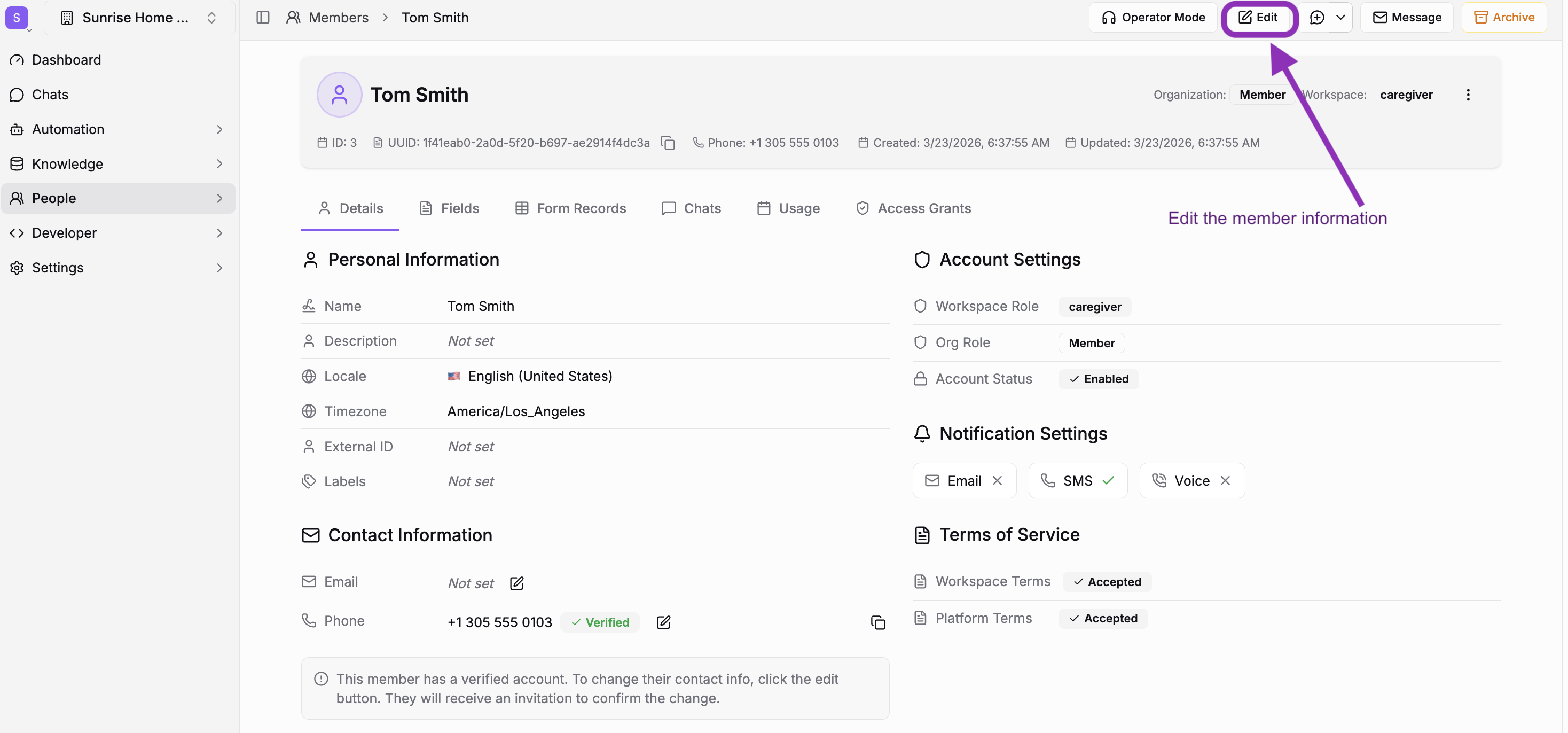
-
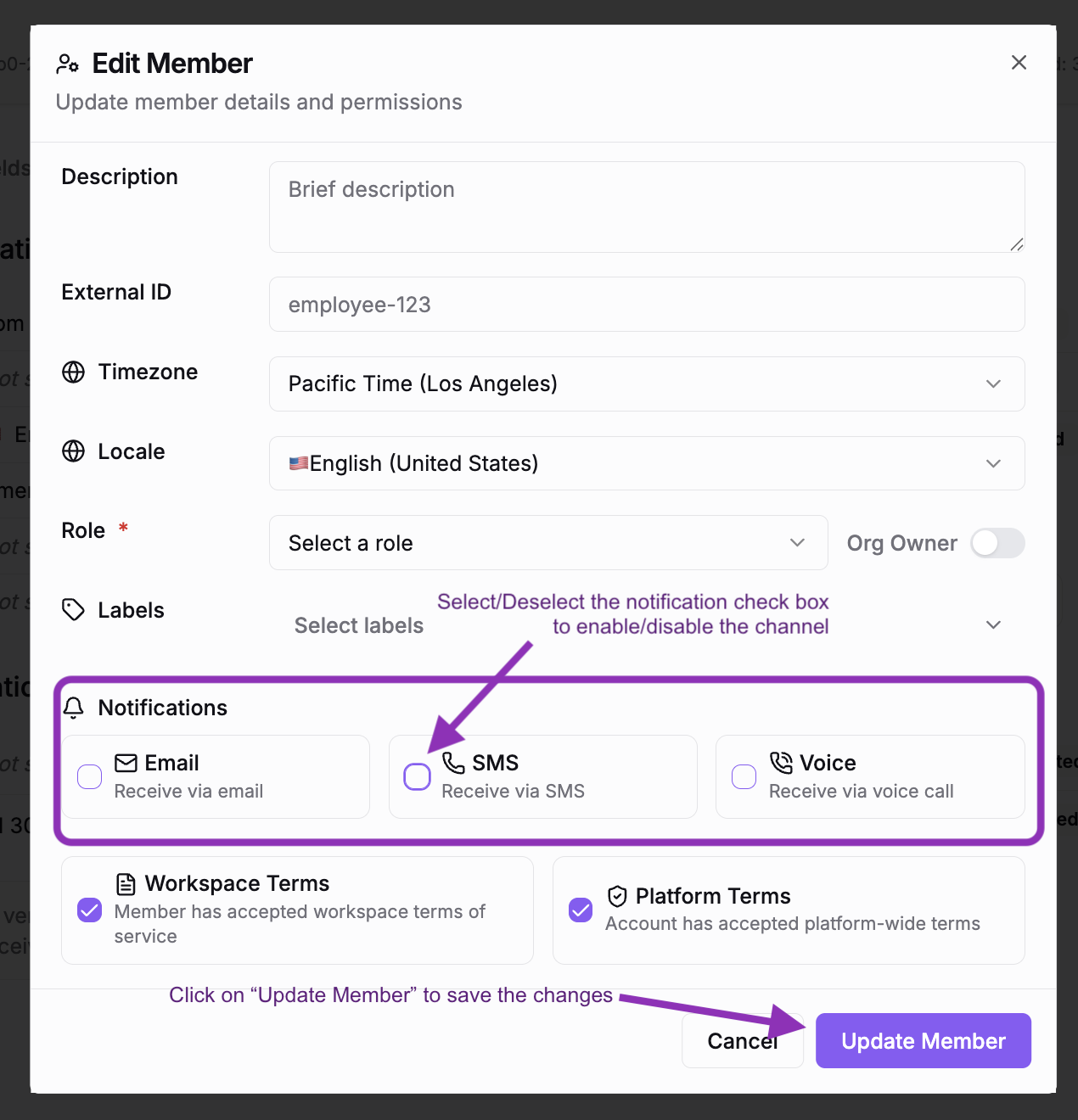
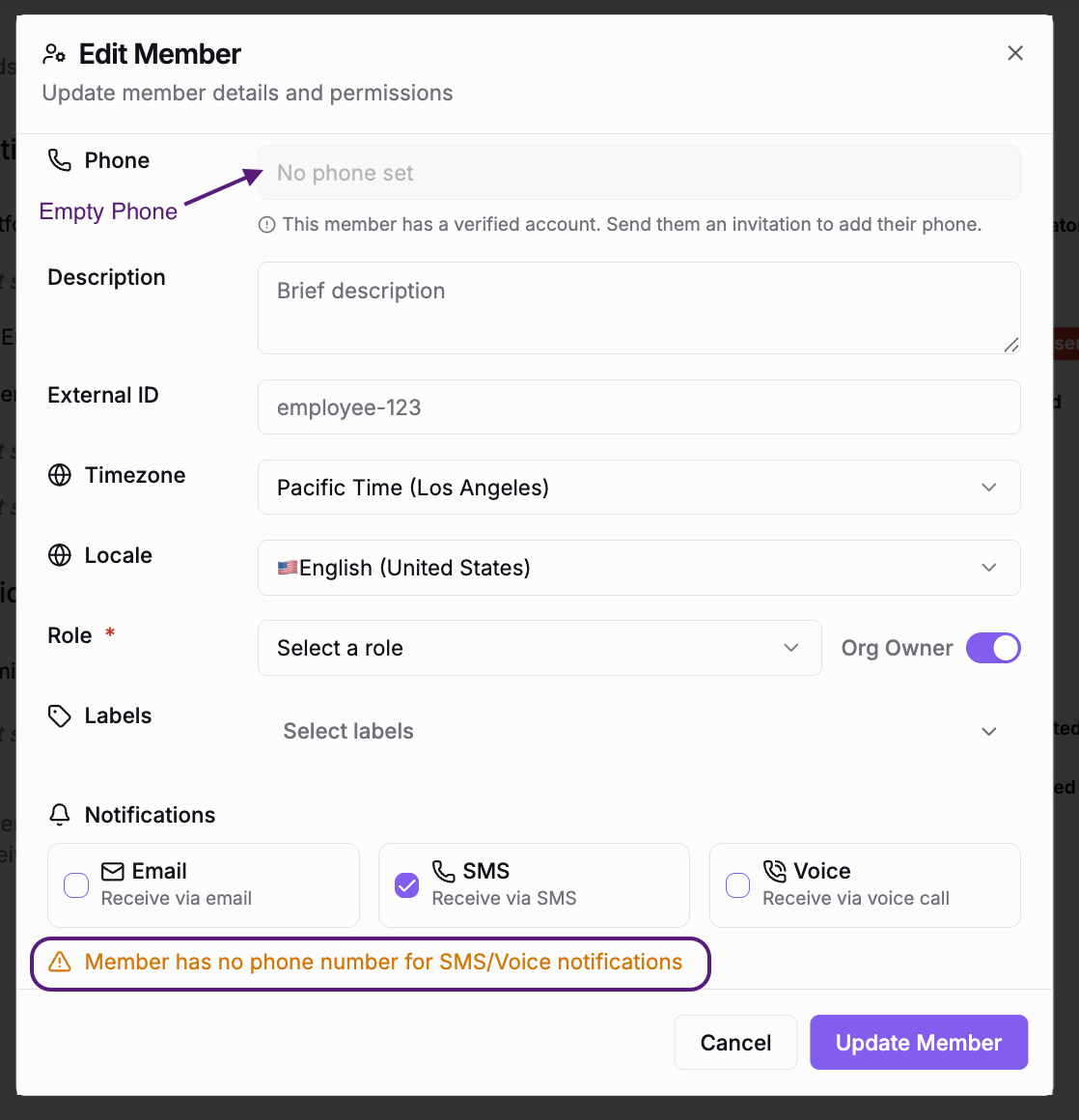
Scroll to the Notifications section — you'll see three card-style toggles for Email, SMS, and Voice
-
Check or uncheck each channel to enable or disable it
-
Click Update Member to save
-
Confirm the changes on the member details page
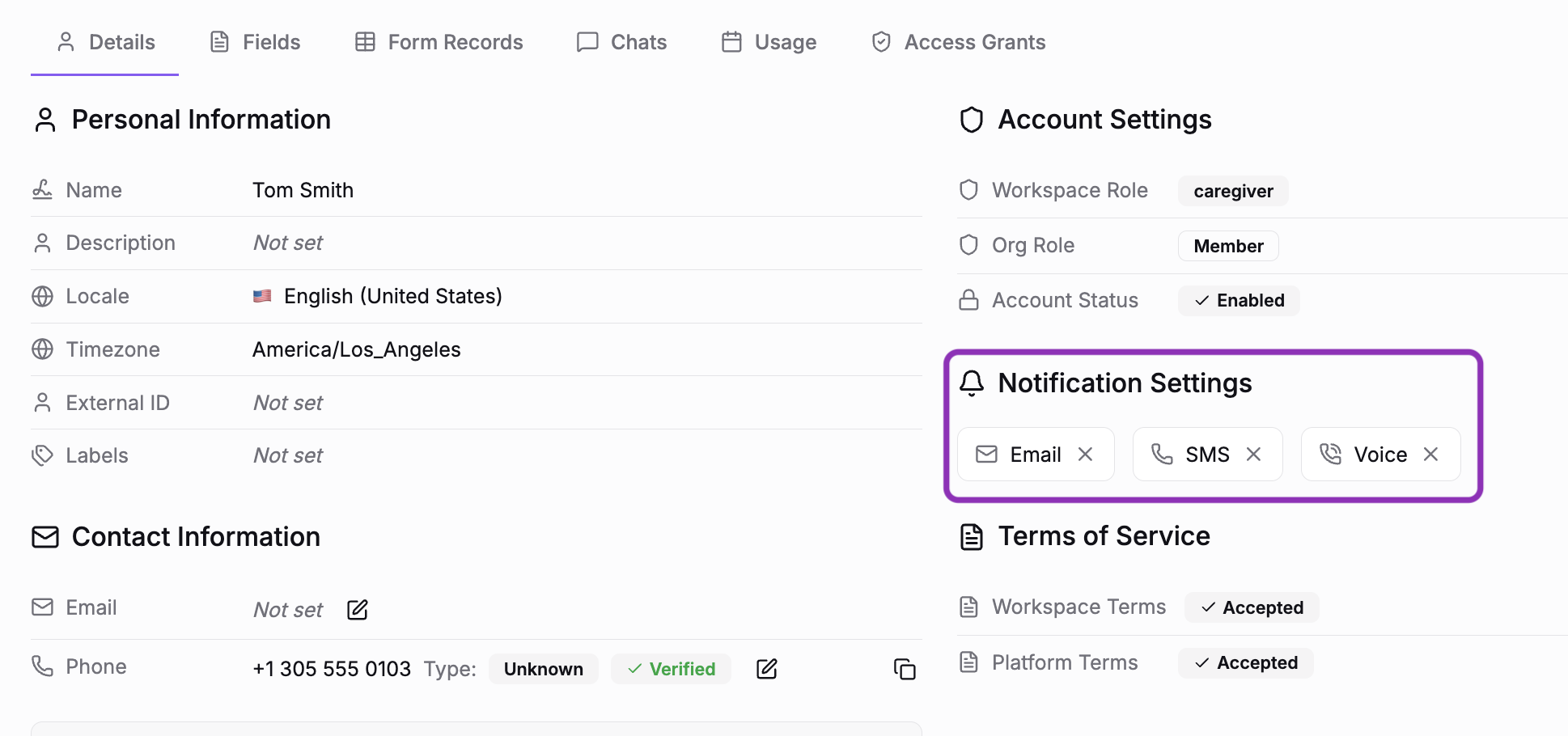
The change takes effect immediately. Any future notification on a disabled channel will be skipped for this member. Other enabled channels are unaffected.
If the member has no phone number on file, a warning appears when SMS or Voice is enabled — the notification would have nowhere to go.
Via CSV Import
When importing members via CSV, include notify_sms, notify_email, and notify_voice columns with true/false or 1/0 values to set preferences on import.
See Importing Members for the full CSV format.
Default Settings
New members are created with these defaults:
| Channel | Default |
|---|---|
| SMS | Enabled |
| Disabled | |
| Voice | Disabled |
SMS is on by default because most notification rules target SMS for immediate alerts. Adjust defaults per member as needed.
Member Opt-Out via SMS
Members who interact via SMS can also opt themselves out by texting STOP to the workspace phone number. This marks them as opted out at the account level — a stronger opt-out than the notification preference toggle, since it stops all SMS communication, not just notifications.
See Phone & Voice for more on SMS commands.
Tips
- Audit before changing — Notification rules control which team members and workspace managers receive alerts (e.g., escalation notifications). Before disabling a channel for someone, check Workspace Settings → Escalation → Notification Rules to see what they're currently receiving.
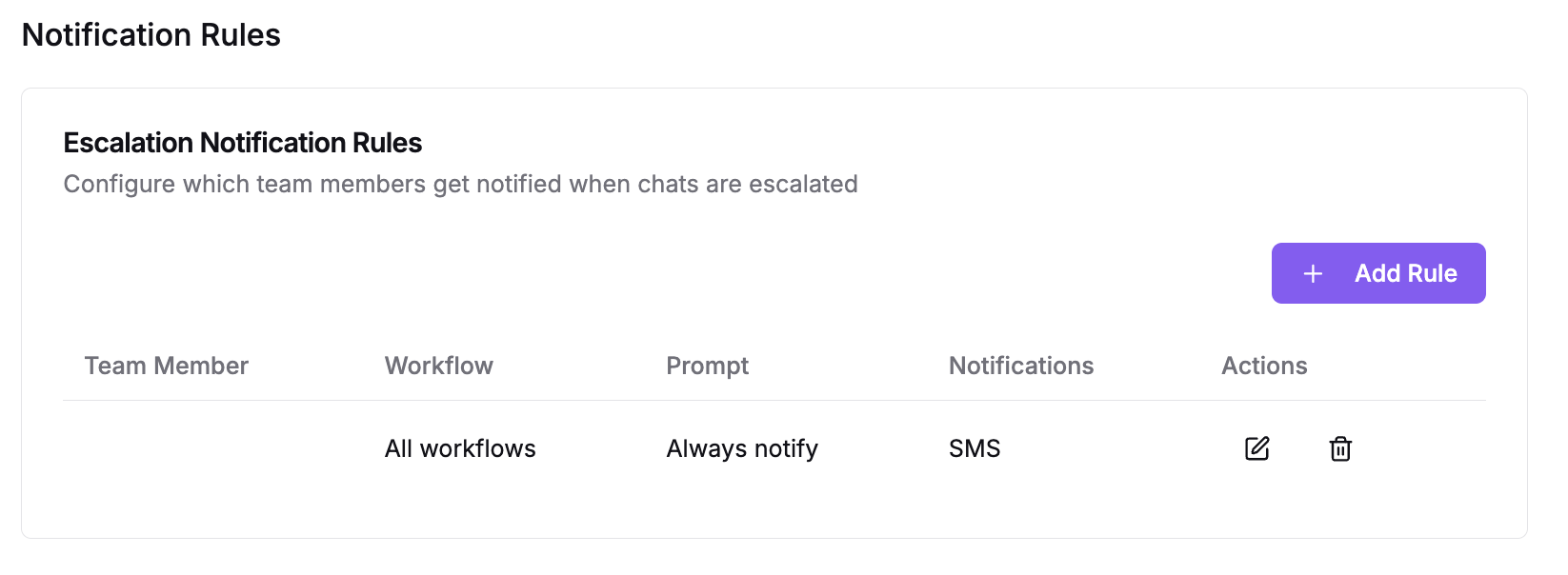
- Use notification rules for finer control — If you want to stop a specific type of notification for a team member (e.g., escalations from one workflow), adjust the notification rule rather than their member preference. Member preferences are a blanket on/off per channel — notification rules let you target specific alerts for specific people.
- Bulk updates via CSV — To change notification preferences for many members at once, export your member list, update the
notify_sms,notify_email, ornotify_voicecolumns, and re-import.
Related
- Escalation & Human Handoff — Configure who gets notified on escalation and which channels to use
- Routines — Run automated actions on a schedule, such as reminders and recurring reports
- Actions — Trigger automated tasks like notifications, task switches, and webhooks based on form submissions, messages, and other events
- Members — Add, edit, and manage workspace members
- Phone & Voice — Phone number setup, SMS commands, and voice configuration
- Members API — Update notification preferences programmatically via the
notifySms,notifyEmail, andnotifyVoicefields
Related Resources
Members
Add, invite, and manage the humans in your workspace — team and customers alike.
Importing Members
Import members in bulk via CSV upload or the API — format your file, handle duplicates, and troubleshoot errors.
Anonymous & Test Members
Manage unknown callers and sandbox accounts — review the anonymous queue, resolve to real members, expire stale entries, and create test members.
All Guides
Browse all available guides